
Betalice: RTP e volatilità delle slot
24 de November de 2026Descubre la filosofía experta detrás de los dados verificados
24 de November de 2026
For UK players who prefer to play casino games away from a desktop computer‚ the Betsson app offers a convenient way to access slots‚ table games‚ live casino rooms and account services. This guide explains how to download the Betsson app‚ what to check before installation‚ and how the mobile experience compares with using a browser.
GB Betsson Casino Mobile UK Gaming is designed around quick access‚ clear navigation and a broad selection of real-money entertainment. However‚ downloading an app is only one part of getting started. Players should also verify eligibility‚ review the available payment methods‚ understand the bonus terms and set sensible limits before depositing.
What Is the Betsson App?
The Betsson app is a mobile platform for compatible smartphones and tablets. Depending on the device and current availability in the United Kingdom‚ users may access Betsson through an official app-store listing or through a mobile-optimised website. The exact installation route can change‚ so the safest approach is always to use links provided on the official Betsson website rather than searching for unofficial download files.
Once installed‚ the app generally provides access to a casino lobby‚ account management‚ promotions‚ cashier functions and customer support. The interface is intended to make it easy to move between games without repeatedly opening a desktop browser.
How to Download the Betsson App
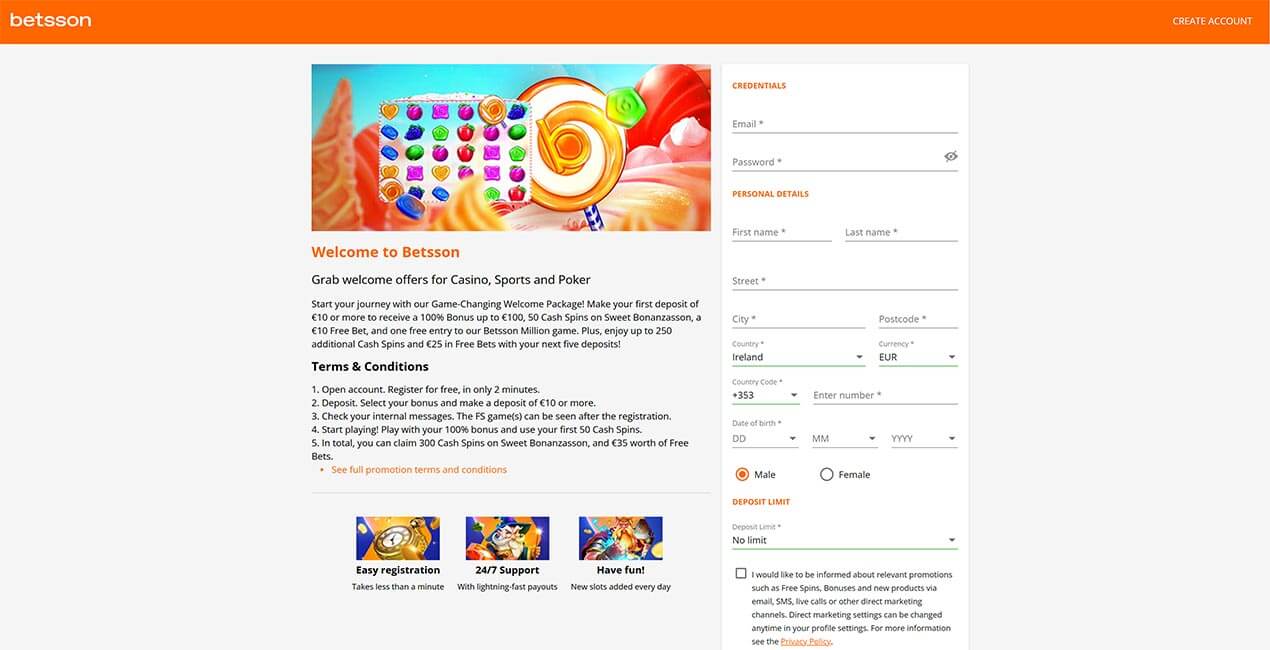
Step 1: Check Your Device
Before downloading‚ confirm that your smartphone or tablet has a supported operating system and enough free storage. Updating the device can help prevent installation problems. A stable Wi-Fi or mobile-data connection is also recommended‚ particularly if the app includes high-quality live casino streams.
Step 2: Visit the Official Betsson Website
Open your mobile browser and enter the official Betsson web address manually or use a trusted bookmark. Check that the connection is secure and that you are on the correct regional website for the United Kingdom. Avoid download pages promoted through unknown advertisements‚ social-media messages or third-party file-sharing services.
Step 3: Locate the Mobile App Option
Look for a button such as Download App‚ Get the App or Play on Mobile. The website should identify whether your device uses Android or iOS and then direct you to the relevant official installation method. If no native app is offered for your device‚ the mobile website may provide nearly the same core functions without a separate download.
Step 4: Install Through an Official Source
iPhone and iPad users should follow the link to the official App Store listing‚ check the developer name and install the application from there. Android users should use the official Google Play listing when available. If an Android installation package is offered directly by Betsson‚ read the instructions carefully and confirm that the file originates from the official operator domain.
Step 5: Open the App and Log In
After installation‚ launch the app and sign in with your existing Betsson credentials. New customers can select the registration option and provide the requested details. The operator may ask for identity or age verification before allowing withdrawals or continued play. Use accurate information and keep login details private.
Step 6: Secure Your Account
Enable any available security features‚ use a strong unique password and avoid saving credentials on shared devices. If the app supports biometric login‚ use it only on a personal device protected by a secure screen lock. Notifications should also be reviewed so that account information is not displayed openly on a locked screen.
What Can You Do in the Betsson Mobile App?
The mobile lobby normally groups games into categories such as slots‚ jackpots‚ table games‚ roulette‚ blackjack and live casino. Search and filtering tools can help users find a particular title‚ provider or game type. Loading times depend on the device‚ internet connection and the technical demands of each game.
- Play casino games: Open individual games and select the preferred stake within the displayed limits.
- Manage payments: Deposit funds‚ review transaction history and request withdrawals using available methods.
- Check promotions: Read current offers‚ eligibility conditions‚ wagering requirements and expiry dates.
- Contact support: Use available live chat‚ email or help-centre options.
- Control play: Set deposit limits‚ cooling-off periods or other responsible-gambling tools where available.
Questions and Answers
Is the Betsson app free to download?
Downloading the official app is generally free. Standard mobile-data charges may apply‚ and playing casino games for real money requires a funded account. A free download does not mean that all game activity is free‚ so check the balance and stake information before confirming a bet.
Can I use my existing Betsson account?
Yes‚ the mobile app is normally designed to connect with an existing account. Enter the same login details used on the website. If a password is forgotten‚ use the official recovery process rather than creating duplicate accounts.
Can I download the app outside the United Kingdom?
Availability depends on local regulation‚ licensing and the operator’s current services. UK players should use the UK version of the official website and follow the installation instructions shown there. Do not attempt to bypass location restrictions with misleading registration details or unauthorised software.
Why cannot I see the app in an app store?
Possible reasons include regional restrictions‚ device incompatibility‚ an outdated operating system or temporary changes to the listing. Try visiting the official Betsson website from your mobile device to see whether an updated installation route is provided. Customer support can confirm the current position.
Is the mobile website a suitable alternative?
Yes. A mobile browser can provide access to many of the same games and account tools without using storage space. The browser version may be preferable for occasional players‚ while an app can offer quicker access and a more consistent interface.
Mobile Casino Safety and Playing Rules
Only use the official Betsson platform and confirm that the service is available to you legally. A legitimate operator should explain its licensing position‚ terms‚ privacy policy‚ payment rules and responsible-gambling tools. Read these documents before depositing‚ especially if you intend to claim a promotional offer.
Casino games use random outcomes‚ and neither an app nor a particular betting pattern can guarantee a profit. Previous results do not determine the next spin or hand. Set a budget that you can afford to lose‚ decide how long you will play and stop when the planned limit is reached.
Players in the United Kingdom should also observe age requirements and complete any requested verification. Do not allow another person to use your account‚ and do not play while impaired or under financial pressure. If gambling stops feeling recreational‚ use the available limits‚ time-outs or self-exclusion services and contact a recognised support organisation.
Payments‚ Bonuses and Withdrawals
The cashier section displays the payment methods currently available to your account. Options can include cards‚ bank-related services and electronic wallets‚ although availability‚ minimum amounts and processing times vary. Check whether a method accepts withdrawals as well as deposits before choosing it.
Promotions can make the app more attractive‚ but the headline bonus is not the complete offer. Review the minimum deposit‚ qualifying games‚ wagering contribution‚ maximum stake‚ withdrawal restrictions and expiry period. Some bonuses may require verification before funds can be released. If the terms are unclear‚ ask support for an explanation before opting in.
Withdrawal requests may be reviewed for security and identity checks. Make sure your account details are accurate and that the payment method is registered in your name. Processing times are not always the same as the time taken by a bank or e-wallet to display the funds.
Mobile Experience: Strengths and Limitations
The main strength of the Betsson app is convenience. A player can open the casino lobby quickly‚ continue using one account across compatible devices and access the cashier without sitting at a computer. A well-organised mobile interface also makes game discovery easier when the catalogue contains many titles.
There are limitations. Small screens may make detailed paytables less comfortable to read‚ while live dealer games can consume substantial data; Battery use may increase during long sessions‚ and a weak connection can interrupt loading or streaming. Players should also remember that convenience can encourage longer sessions‚ making personal limits particularly important.
Final Assessment
Downloading the Betsson app is a straightforward process when completed through the official website or an authorised app store. UK players should first confirm availability‚ install only from a trusted source‚ secure their account and review the terms for payments and promotions. The app is useful for quick access to casino games and account tools‚ while the mobile website remains a practical alternative for users who do not want another installation.
As with any real-money casino service‚ the quality of the experience depends on responsible use. Treat the app as entertainment‚ keep spending within a predetermined budget and use the operator’s control tools whenever necessary. With those precautions in place‚ Betsson’s mobile platform can provide a convenient way to explore casino games from a compatible UK device.
